

build 7bbbddf7 | content blog-content@c8490fa · 338 posts | profiles 20 · corpus 267 | 0 skipped | | format
apiVersion: soultec.ch/v1kind: Postmetadata: name: how-to-horizon-verbindung-absichern-teil-2 locale: en labels: author: raphael-thommen series: how-to capability/modern-workplace: 2.11 capability/virtualization: 1.37 vendor/omnissa: 2.39 vendor/vmware: 0.88 annotations: source: blog-content/posts/en/how-to-horizon-verbindung-absichern-teil-2.md route: /en/insights/how-to-horizon-verbindung-absichern-teil-2/ schema: /nerd/schema/posts.json markdown: /en/insights/how-to-horizon-verbindung-absichern-teil-2.mdspec: title: Securing the Horizon connection – part 2 date: 2024-12-11 author: raphael-thommen locale: en summary: >- Part 1 covered how locked.properties secures the connection between Horizon Connection Servers and clients, mainly through balancedHost. There are cases where that causes trouble. capabilities: [modern-workplace, virtualization] vendors: [omnissa, vmware] series: how-to hero: /blog-assets/how-to-horizon-verbindung-absichern-teil-2/hero.webp migrated: 2026-08-24 translationReviewed: false draft: false sections: - body: | In the first part of this series I described how configuring `locked.properties` helps secure the connection between the Horizon Connection Servers and the clients and agents, mainly through the `balancedHost` parameter. [Part 1 is here](https://soultec.ch/how-to-horizon-verbindung-absichern/). There are scenarios where that method causes trouble. This post looks at an alternative configuration and weighs it up. - heading: "

The problem: no access to the Horizon admin console over the load-balanced DNS name

"
body: | Even with the configuration in place, the Horizon admin console may be unreachable over the load-balanced DNS record, for example `vdi.soultec.lab`. This happens in particular when `balancedHost` is set in the configuration and the load balancer distributes traffic incorrectly. Missing or incorrect configuration can cause this: - The administrator sees "Login Failed", "404 Not Found" or "The page you requested is not available" when signing in to the console on the load balancer URL with /admin ![](/blog-assets/how-to-horizon-verbindung-absichern-teil-2/01.webp) ### The alternative: several `portalHost` entries One way round it is to list every relevant URL explicitly as a `portalHost` in `locked.properties`. That includes: 1. The load-balanced DNS record (for example `vdi.soultec.lab`). 2. The individual Horizon Connection Servers (for example `labhrzcs01.soultec.lab` and `labhrzcs02.soultec.lab`). 3. Any further hosts, such as Unified Access Gateways (UAGs). Example configuration: ```properties portalHost.1=vdi.soultec.lab portalHost.2=labhrzcs01.soultec.lab portalHost.3=labhrzcs02.soultec.lab ``` `locked.properties` lives at: `C:\Program Files\VMware\VMware View\Server\sslgateway\conf\locked.properties` This configuration covers every possible connection, which keeps access problems to a minimum. ### Worth knowing - Every `portalHost` entry has to match the servers' DNS names exactly. - Test the connection after every change. - heading:

Conclusion

body: | Using `portalHost` entries is a flexible way to solve access problems on the Horizon admin console, particularly in environments with load balancers. It does mean checking the configuration regularly and making sure every relevant host is listed in `locked.properties`. If you have further questions on this or need a hand, get in touch through our website.status: corpus: 267 alsoLike: - {ref: posts/soultec-ag-erreicht-hochsten-omnissa-partnerstatus, score: 1.00} - {ref: posts/ubersicht-omnissa-horizon-fur-citrix-kunden, score: 1.00} - {ref: solutions/omnissa/horizon/omnissa-app-volumes, score: 1.00}
{ "apiVersion": "soultec.ch/v1", "kind": "Post", "metadata": { "name": "how-to-horizon-verbindung-absichern-teil-2", "locale": "en", "labels": { "author": "raphael-thommen", "series": "how-to", "capability/modern-workplace": "2.11", "capability/virtualization": "1.37", "vendor/omnissa": "2.39", "vendor/vmware": "0.88" }, "annotations": { "source": "blog-content/posts/en/how-to-horizon-verbindung-absichern-teil-2.md", "route": "/en/insights/how-to-horizon-verbindung-absichern-teil-2/", "schema": "/nerd/schema/posts.json", "markdown": "/en/insights/how-to-horizon-verbindung-absichern-teil-2.md" } }, "spec": { "title": "Securing the Horizon connection – part 2", "date": "2024-12-11", "author": "raphael-thommen", "locale": "en", "summary": "Part 1 covered how locked.properties secures the connection between Horizon Connection Servers and clients, mainly through balancedHost. There are cases where that causes trouble.", "capabilities": [ "modern-workplace", "virtualization" ], "vendors": [ "omnissa", "vmware" ], "series": "how-to", "hero": "/blog-assets/how-to-horizon-verbindung-absichern-teil-2/hero.webp", "migrated": "2026-08-24", "translationReviewed": false, "draft": false }, "sections": [ { "body": "In the first part of this series I described how configuring `locked.properties` helps secure the connection between the Horizon Connection Servers and the clients and agents, mainly through the `balancedHost` parameter. [Part 1 is here](https://soultec.ch/how-to-horizon-verbindung-absichern/).\n\nThere are scenarios where that method causes trouble. This post looks at an alternative configuration and weighs it up." }, { "heading": "

The problem: no access to the Horizon admin console over the load-balanced DNS name

",
"body": "Even with the configuration in place, the Horizon admin console may be unreachable over the load-balanced DNS record, for example `vdi.soultec.lab`. This happens in particular when `balancedHost` is set in the configuration and the load balancer distributes traffic incorrectly.\n\nMissing or incorrect configuration can cause this:\n\n- The administrator sees \"Login Failed\", \"404 Not Found\" or \"The page you requested is not available\" when signing in to the console on the load balancer URL with /admin\n\n![](/blog-assets/how-to-horizon-verbindung-absichern-teil-2/01.webp)\n\n### The alternative: several `portalHost` entries\n\nOne way round it is to list every relevant URL explicitly as a `portalHost` in `locked.properties`. That includes:\n\n1. The load-balanced DNS record (for example `vdi.soultec.lab`).\n2. The individual Horizon Connection Servers (for example `labhrzcs01.soultec.lab` and `labhrzcs02.soultec.lab`).\n3. Any further hosts, such as Unified Access Gateways (UAGs).\n\nExample configuration:\n\n```properties\nportalHost.1=vdi.soultec.lab\nportalHost.2=labhrzcs01.soultec.lab\nportalHost.3=labhrzcs02.soultec.lab\n```\n\n`locked.properties` lives at: \n`C:\\Program Files\\VMware\\VMware View\\Server\\sslgateway\\conf\\locked.properties`\n\nThis configuration covers every possible connection, which keeps access problems to a minimum.\n\n### Worth knowing\n\n- Every `portalHost` entry has to match the servers' DNS names exactly.\n- Test the connection after every change." }, { "heading": "

Conclusion

",
"body": "Using `portalHost` entries is a flexible way to solve access problems on the Horizon admin console, particularly in environments with load balancers. It does mean checking the configuration regularly and making sure every relevant host is listed in `locked.properties`.\n\nIf you have further questions on this or need a hand, get in touch through our website." } ], "status": { "corpus": 267, "alsoLike": [ { "ref": "posts/soultec-ag-erreicht-hochsten-omnissa-partnerstatus", "score": "1.00" }, { "ref": "posts/ubersicht-omnissa-horizon-fur-citrix-kunden", "score": "1.00" }, { "ref": "solutions/omnissa/horizon/omnissa-app-volumes", "score": "1.00" } ] }}
apiVersion = "soultec.ch/v1"kind = "Post"[metadata]name = "how-to-horizon-verbindung-absichern-teil-2"locale = "en"[metadata.labels]author = "raphael-thommen"series = "how-to""capability/modern-workplace" = "2.11""capability/virtualization" = "1.37""vendor/omnissa" = "2.39""vendor/vmware" = "0.88"[metadata.annotations]source = "blog-content/posts/en/how-to-horizon-verbindung-absichern-teil-2.md"route = "/en/insights/how-to-horizon-verbindung-absichern-teil-2/"schema = "/nerd/schema/posts.json"markdown = "/en/insights/how-to-horizon-verbindung-absichern-teil-2.md"[spec]title = "Securing the Horizon connection – part 2"date = 2024-12-11author = "raphael-thommen"locale = "en"summary = "Part 1 covered how locked.properties secures the connection between Horizon Connection Servers and clients, mainly through balancedHost. There are cases where that causes trouble."capabilities = ["modern-workplace", "virtualization"]vendors = ["omnissa", "vmware"]series = "how-to"hero = "/blog-assets/how-to-horizon-verbindung-absichern-teil-2/hero.webp"migrated = 2026-08-24translationReviewed = falsedraft = false[[sections]]body = '''In the first part of this series I described how configuring `locked.properties` helps secure the connection between the Horizon Connection Servers and the clients and agents, mainly through the `balancedHost` parameter. [Part 1 is here](https://soultec.ch/how-to-horizon-verbindung-absichern/).There are scenarios where that method causes trouble. This post looks at an alternative configuration and weighs it up.'''[[sections]]heading = "

The problem: no access to the Horizon admin console over the load-balanced DNS name

"
body = '''Even with the configuration in place, the Horizon admin console may be unreachable over the load-balanced DNS record, for example `vdi.soultec.lab`. This happens in particular when `balancedHost` is set in the configuration and the load balancer distributes traffic incorrectly.Missing or incorrect configuration can cause this:- The administrator sees "Login Failed", "404 Not Found" or "The page you requested is not available" when signing in to the console on the load balancer URL with /admin![](/blog-assets/how-to-horizon-verbindung-absichern-teil-2/01.webp)### The alternative: several `portalHost` entriesOne way round it is to list every relevant URL explicitly as a `portalHost` in `locked.properties`. That includes:1. The load-balanced DNS record (for example `vdi.soultec.lab`).2. The individual Horizon Connection Servers (for example `labhrzcs01.soultec.lab` and `labhrzcs02.soultec.lab`).3. Any further hosts, such as Unified Access Gateways (UAGs).Example configuration:```propertiesportalHost.1=vdi.soultec.labportalHost.2=labhrzcs01.soultec.labportalHost.3=labhrzcs02.soultec.lab````locked.properties` lives at: `C:\Program Files\VMware\VMware View\Server\sslgateway\conf\locked.properties`This configuration covers every possible connection, which keeps access problems to a minimum.### Worth knowing- Every `portalHost` entry has to match the servers' DNS names exactly.- Test the connection after every change.'''[[sections]]heading = "

Conclusion

"
body = '''Using `portalHost` entries is a flexible way to solve access problems on the Horizon admin console, particularly in environments with load balancers. It does mean checking the configuration regularly and making sure every relevant host is listed in `locked.properties`.If you have further questions on this or need a hand, get in touch through our website.'''[status]corpus = 267[[status.alsoLike]]ref = "posts/soultec-ag-erreicht-hochsten-omnissa-partnerstatus"score = "1.00"[[status.alsoLike]]ref = "posts/ubersicht-omnissa-horizon-fur-citrix-kunden"score = "1.00"[[status.alsoLike]]ref = "solutions/omnissa/horizon/omnissa-app-volumes"score = "1.00"
<?xml version="1.0" encoding="UTF-8"?><manifest kind="Post"> <apiVersion>soultec.ch/v1</apiVersion> <metadata> <name>how-to-horizon-verbindung-absichern-teil-2</name> <locale>en</locale> <labels> <author>raphael-thommen</author> <series>how-to</series> <entry key="capability/modern-workplace">2.11</entry> <entry key="capability/virtualization">1.37</entry> <entry key="vendor/omnissa">2.39</entry> <entry key="vendor/vmware">0.88</entry> </labels> <annotations> <source>blog-content/posts/en/how-to-horizon-verbindung-absichern-teil-2.md</source> <route>/en/insights/how-to-horizon-verbindung-absichern-teil-2/</route> <schema>/nerd/schema/posts.json</schema> <markdown>/en/insights/how-to-horizon-verbindung-absichern-teil-2.md</markdown> </annotations> </metadata> <spec> <title>Securing the Horizon connection – part 2</title> <date>2024-12-11</date> <author>raphael-thommen</author> <locale>en</locale> <summary>Part 1 covered how locked.properties secures the connection between Horizon Connection Servers and clients, mainly through balancedHost. There are cases where that causes trouble.</summary> <capabilities> <item>modern-workplace</item> <item>virtualization</item> </capabilities> <vendors> <item>omnissa</item> <item>vmware</item> </vendors> <series>how-to</series> <hero>/blog-assets/how-to-horizon-verbindung-absichern-teil-2/hero.webp</hero> <migrated>2026-08-24</migrated> <translationReviewed>false</translationReviewed> <draft>false</draft> </spec> <sections> <section> <body>In the first part of this series I described how configuring `locked.properties` helps secure the connection between the Horizon Connection Servers and the clients and agents, mainly through the `balancedHost` parameter. [Part 1 is here](https://soultec.ch/how-to-horizon-verbindung-absichern/).There are scenarios where that method causes trouble. This post looks at an alternative configuration and weighs it up. </body> </section> <section> <heading>

The problem: no access to the Horizon admin console over the load-balanced DNS name

</heading>
<body>Even with the configuration in place, the Horizon admin console may be unreachable over the load-balanced DNS record, for example `vdi.soultec.lab`. This happens in particular when `balancedHost` is set in the configuration and the load balancer distributes traffic incorrectly.Missing or incorrect configuration can cause this:- The administrator sees "Login Failed", "404 Not Found" or "The page you requested is not available" when signing in to the console on the load balancer URL with /admin![](/blog-assets/how-to-horizon-verbindung-absichern-teil-2/01.webp)### The alternative: several `portalHost` entriesOne way round it is to list every relevant URL explicitly as a `portalHost` in `locked.properties`. That includes:1. The load-balanced DNS record (for example `vdi.soultec.lab`).2. The individual Horizon Connection Servers (for example `labhrzcs01.soultec.lab` and `labhrzcs02.soultec.lab`).3. Any further hosts, such as Unified Access Gateways (UAGs).Example configuration:```propertiesportalHost.1=vdi.soultec.labportalHost.2=labhrzcs01.soultec.labportalHost.3=labhrzcs02.soultec.lab````locked.properties` lives at: `C:\Program Files\VMware\VMware View\Server\sslgateway\conf\locked.properties`This configuration covers every possible connection, which keeps access problems to a minimum.### Worth knowing- Every `portalHost` entry has to match the servers' DNS names exactly.- Test the connection after every change. </body> </section> <section> <heading>

Conclusion

</heading>
<body>Using `portalHost` entries is a flexible way to solve access problems on the Horizon admin console, particularly in environments with load balancers. It does mean checking the configuration regularly and making sure every relevant host is listed in `locked.properties`.If you have further questions on this or need a hand, get in touch through our website. </body> </section> </sections> <status> <corpus>267</corpus> <alsoLike> <item> <ref>posts/soultec-ag-erreicht-hochsten-omnissa-partnerstatus</ref> <score>1.00</score> </item> <item> <ref>posts/ubersicht-omnissa-horizon-fur-citrix-kunden</ref> <score>1.00</score> </item> <item> <ref>solutions/omnissa/horizon/omnissa-app-volumes</ref> <score>1.00</score> </item> </alsoLike> </status></manifest>
How-To · 2024-12-11

Securing the Horizon connection – part 2

Part 1 covered how locked.properties secures the connection between Horizon Connection Servers and clients, mainly through balancedHost. There are cases where that causes trouble.

2024-12-11Date
Raphael ThommenAuthor
2Min read
Topics Modern Workplace 2.11 Virtualization 1.37
Vendors Omnissa 2.39 VMware 0.88

In the first part of this series I described how configuring locked.properties helps secure the connection between the Horizon Connection Servers and the clients and agents, mainly through the balancedHost parameter. Part 1 is here.

There are scenarios where that method causes trouble. This post looks at an alternative configuration and weighs it up.

The problem: no access to the Horizon admin console over the load-balanced DNS name

Even with the configuration in place, the Horizon admin console may be unreachable over the load-balanced DNS record, for example vdi.soultec.lab. This happens in particular when balancedHost is set in the configuration and the load balancer distributes traffic incorrectly.

Missing or incorrect configuration can cause this:

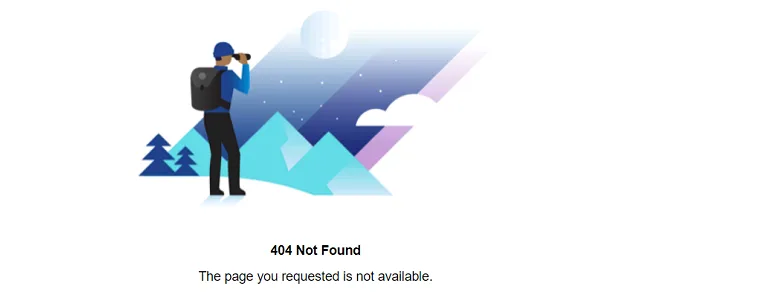
  • The administrator sees “Login Failed”, “404 Not Found” or “The page you requested is not available” when signing in to the console on the load balancer URL with /admin
The alternative: several portalHost entries

One way round it is to list every relevant URL explicitly as a portalHost in locked.properties. That includes:

  1. The load-balanced DNS record (for example vdi.soultec.lab).
  2. The individual Horizon Connection Servers (for example labhrzcs01.soultec.lab and labhrzcs02.soultec.lab).
  3. Any further hosts, such as Unified Access Gateways (UAGs).

Example configuration:

portalHost.1=vdi.soultec.lab
portalHost.2=labhrzcs01.soultec.lab
portalHost.3=labhrzcs02.soultec.lab

locked.properties lives at:
C:\Program Files\VMware\VMware View\Server\sslgateway\conf\locked.properties

This configuration covers every possible connection, which keeps access problems to a minimum.

Worth knowing

  • Every portalHost entry has to match the servers’ DNS names exactly.
  • Test the connection after every change.

Conclusion

Using portalHost entries is a flexible way to solve access problems on the Horizon admin console, particularly in environments with load balancers. It does mean checking the configuration regularly and making sure every relevant host is listed in locked.properties.

If you have further questions on this or need a hand, get in touch through our website.

You might also like